
IBKR Real-Time Market Data: The 4-Pillar Setup That Ends 15-Minute Delays
IBKR defaults to 15-minute delayed quotes — the yellow clock means stale data on every trade. This guide covers the 4-Pillar Setup ($6/month), FinOps commission offsets, the hidden cost of PFOF brokers, and options Level 3 permissions SOP for Day 1.
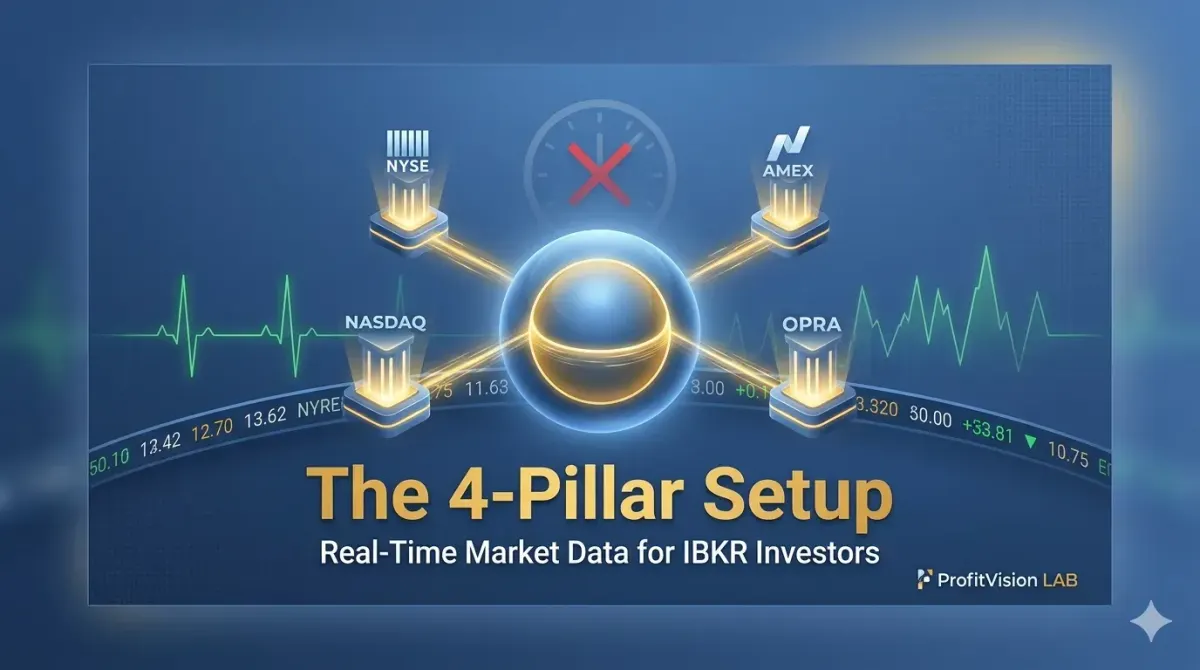
IBKR Real-Time Market Data:
The 4-Pillar Setup That Ends 15-Minute Delays
Under $6/month to trade with the same data quality as professionals
IBKR real-time market data subscriptions are exchange-authorized data feeds that upgrade your Interactive Brokers account from the default 15-minute delayed quotes to zero-latency live pricing. Non-professional retail investors need only four subscriptions — the "4-Pillar Setup" — covering NYSE, NASDAQ, AMEX, and US Options (OPRA) at a combined cost of $6.00/month. Active traders can offset this entirely through IBKR's commission-credit mechanism.
⚡ Key Takeaways
- IBKR's default quotes are delayed 15 minutes — the yellow clock icon means you're trading on stale data.
- The 4-Pillar Setup (NYSE + NASDAQ + AMEX + OPRA) covers 99% of US stocks, ETFs, and options at $6.00/month non-professional rate.
- "Free is the most expensive": Robinhood earns through PFOF — selling your order flow to market makers who give you worse fills. IBKR's Smart Order Routing and internal matching recovers far more than the $6 monthly fee through better execution prices.
- Always select Non-Professional status — the Professional rate is 10–40× higher for the same data.
- Apply for options trading Level 3 on Day 1. Waiting until you need it costs you days of approval time.
The Hidden Cost of a Yellow Clock
Many investors opening an Interactive Brokers account quickly notice a small yellow clock icon next to quote prices. That icon means one thing: you're looking at data from 15 minutes ago.
In fast-moving markets, acting on 15-minute-old quotes is like driving while watching footage from a dashcam that recorded 15 minutes earlier. The road has changed. The price has moved. And your entry, exit, or options pricing calculation is built on a foundation that no longer exists.
This guide shows you how to fix that problem permanently for less than the price of a cup of coffee per month.
Pillar 1–4: The Essential Subscription Stack
Good operational management isn't buying the most expensive bundle — it's buying exactly what you need, nothing more.
IBKR's subscription catalog is extensive, and it's easy to be upsold into $10–$25/month packages. But for investors focused on US stocks, ETFs, and options, the following four subscriptions cover everything at a fraction of the cost:
| Pillar | Subscription Name | Exchange Coverage | Type | Monthly Fee (Non-Pro) |
|---|---|---|---|---|
| Pillar 1 | NYSE (Tape A) Real-Time | New York Stock Exchange | Equities | $1.50 |
| Pillar 2 | NASDAQ Basic (Tape C) | NASDAQ Stock Market | Equities | $1.50 |
| Pillar 3 | NYSE American (AMEX) | NYSE American / IEX | Equities | $1.50 |
| Pillar 4 | US Options Exchanges (OPRA) | All US Options Exchanges | Options | $1.50 |
| Monthly Total | $6.00 | |||
At $6.00/month (approximately NT$190), you get real-time data across every major US exchange — the same feed professional traders use.
The Commission Offset: When Your Data Pays for Itself
Sophisticated financial operations use trading commissions to offset fixed infrastructure costs.
IBKR runs a commission-credit program: if your monthly trading commissions exceed a threshold, the corresponding data subscription fee is waived entirely.
(Pillars 1–3 combined)
(Pillar 4 — OPRA)
This offset only makes financial sense for active traders: the options fee waiver requires ~$20 in monthly commissions (roughly 20–30 contracts traded), and the equity fee waiver requires ~$30. If you're already generating that volume naturally, the data effectively costs nothing. If not, simply paying the $6/month is the more rational choice — don't trade 20 unnecessary contracts just to save $1.50.
Robinhood charges zero commissions and zero data fees — and makes its money through Payment for Order Flow (PFOF): selling your order flow to market makers who fill you at prices slightly worse than the best available. That invisible spread compounds across every trade you make.
IBKR charges openly for data, then routes every order through its Smart Order Routing system and internal matching engine to find the best executable price. Over a year of active trading, the execution quality improvement more than covers the $72 annual data cost.
Paying for professional tools isn't a cost — it's the infrastructure that scales your returns.
Three Pitfalls That Will Cost You More Than $6
Precision in small decisions creates confidence in large ones.
-
🪪
Always Select "Non-Professional" StatusWhen subscribing, carefully verify the status selector. Checking "Professional" by mistake triggers exchange-mandated professional rates — the same NYSE subscription jumps from $1.50 to $20–$60/month depending on the exchange. Most retail investors clearly qualify as non-professional: you're trading your own account, not managing institutional capital.
-
📅
Subscribe on the 1st of the Month — IBKR Charges Full Calendar MonthIBKR bills data fees per calendar month with no proration. Subscribe on the 28th and you pay for the full month. Subscribe on the 1st and every dollar is fully utilized. Set a recurring reminder to activate subscriptions at the start of each month.
-
📸
Low-Frequency Alternative: Snapshot Quotes at $0.01 EachLong-term buy-and-hold investors who rarely place trades don't need a monthly subscription. Before entering any order, click Snapshot to pull a single real-time quote for approximately $0.01. Pay only when you actually need it — no recurring fee required.
Day-One Priority: Activate Your Options Trading Permissions
Get your clearance before you need it. Approval delays cost you opportunity, not just time.
Many investors fund their IBKR account, set up their data subscriptions, and then discover the platform rejects their first options order — because options trading permissions are not enabled by default and must be applied for separately.
IBKR structures options permissions across three tiers:
| Level | Permitted Strategies | Typical Use Case |
|---|---|---|
| Level 1 | Covered Calls (selling calls against held stock) | Generating income on existing positions |
| Level 2 | Long Calls/Puts, Cash-Secured Puts (CSP) | Selling CSPs for premium, buying options |
| Level 3 | Spreads: Bull Put Spread, Iron Condor, PMCC, etc. | Defined-risk advanced strategies |
-
📋
How to ApplyLog in to IBKR → Client Portal → Account Settings → Trading Permissions → Options. Select the level you want, complete the investment experience questionnaire, and submit. Approval typically takes 1–3 business days.
-
💡
Apply for Level 3 Immediately — Don't WaitApply for the highest level you anticipate needing on Day 1. IBKR's approval criteria are straightforward for retail investors with documented experience. Upgrading later means another waiting period — and if a trade setup emerges while your upgrade is pending, you'll miss it.
-
⚠️
Cash Account vs. Margin Account for Options SellingSelling CSPs requires sufficient collateral. A Cash Account requires full cash to secure the put (e.g., selling a $50 strike CSP requires $5,000 per contract in cash). A Margin Account uses partial collateral at higher capital efficiency — but introduces leverage risk that must be actively managed.
Intelligence Wins Trades. Intelligence Has a Price.
Every tool in a disciplined investor's arsenal has a cost-benefit calculus. The 4-Pillar Setup is one of the clearest cases where the math is unambiguous: $6/month for the same real-time data quality institutional traders use.
When you eliminate delayed quotes from your workflow, your entries become more precise, your options pricing more accurate, and your stop-loss decisions faster. The compounding effect of better information — executed consistently over months and years — is a structural edge that $6/month buys permanently.

Comments ()